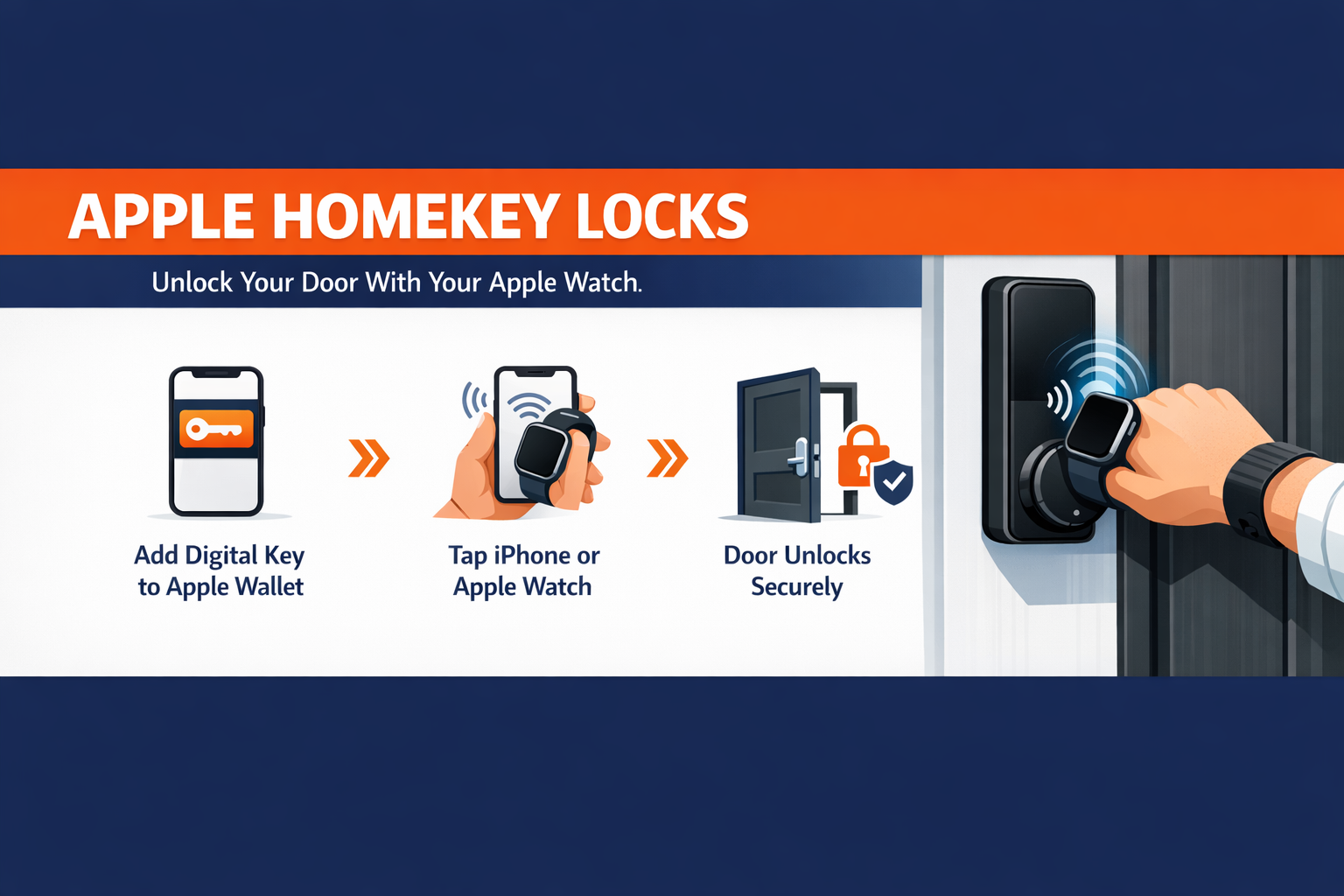
Apple HomeKey locks let you open your front door with a simple tap of your iPhone or Apple Watch, using an encrypted digital key stored in Apple Wallet. The credential lives inside the Secure Enclave on your device, communicates with the lock over NFC, and requires no app to open the door — making it one of the most practical home security upgrades available to homeowners today.
Standing at your own front door with your hands full and no key within reach is a problem nearly every homeowner has faced. Misplaced keys, worn copies that no longer turn, and the scramble to dig through a bag all create friction at the exact moment you want to get inside. Apple HomeKey locks solve that by turning the device already on your wrist into your key. Keep reading to learn how the technology works, how it compares to a traditional deadbolt, and what our team looks for during a professional installation.
What Are Apple HomeKey Locks?
Apple HomeKey locks are smart deadbolts and entry locks that hold a digital key inside Apple Wallet, the same place you store boarding passes and payment cards. When a manufacturer builds a lock to the HomeKey standard, the hardware includes an NFC reader that talks directly to your iPhone or Apple Watch. You add the lock to the Apple Home app once, a digital key is created automatically, and from that point forward your device becomes your credential.
It helps to separate two terms that sound alike. HomeKit lets you control a lock through the Apple Home app, build automations, and ask Siri to lock the door. HomeKey is the tap-to-open layer that sits on top of it. A lock can support both, and the smart lock installation projects our technicians handle most often use both features together.
Several manufacturers now ship locks with native HomeKey support, including the Schlage Encode Plus, Yale Assure Lock 2 Plus, Level Lock+, the Aqara U100 and U300, and the ULTRALOQ Bolt NFC. Each pairs the convenience layer with a physical deadbolt, so the door stays protected by hardware you can trust.
How Apple HomeKey Locks Work With Your Apple Watch
The mechanism behind Apple HomeKey locks is genuinely elegant. Your digital key never leaves your device in a readable form. It is generated and held in the Secure Enclave, an isolated chip designed to protect sensitive credentials, and only an encrypted handshake passes between your device and the lock. Apple itself does not see when you come and go.
To open the door, you hold your Apple Watch or iPhone near the lock. Express Mode handles the rest — no waking the screen, no opening an app, and no Face ID prompt for routine entry. Because the Apple Watch sits in a consistent position on your wrist, many users find the tap registers more dependably than reaching for a phone. The feature even draws on a small power reserve, so a device with a critically low battery can still present the key.
For households, a parent can share a digital key with a teenager or a trusted family member through the Home app, then revoke it later without rekeying anything. That flexibility is something a traditional cylinder simply cannot match, and it is a major reason homeowners across the East Valley ask our residential locksmith team about the upgrade.
Apple HomeKey Locks vs. Traditional Deadbolt Security
A digital key is convenient, but most homeowners want to know how this approach measures against the deadbolt security they already understand. The table below compares the two side by side.
Apple HomeKey Lock vs. Traditional Deadbolt
| Feature | Apple HomeKey Lock | Traditional Deadbolt |
|---|---|---|
| Entry Method | Tap iPhone or Apple Watch | Physical metal key |
| Credential Storage | Encrypted in Secure Enclave | Cut key blank |
| Sharing Access | Digital keys via Home app | Hand over a physical copy |
| Revoking Access | Remove key in app, no rekey | Rekey the cylinder |
| Lost Credential | Remote disable on device | Locksmith visit to rekey |
| Physical Bolt | Grade 2 / Grade 3 deadbolt | Grade 1 to Grade 3 deadbolt |
| Manual Backup | Thumbturn lock + keyway | Thumbturn lock + keyway |
| Power Dependence | Battery in the lock body | None |
Notice that a HomeKey lock does not remove the physical layer — it adds to it. Behind the NFC reader sits a real bolt, and most models keep a thumbturn lock on the interior and a traditional keyway as a backup entry path. You gain digital convenience without giving up the mechanical protection a door needs.
Pro Tip — From Our Technicians
The most overlooked detail on a HomeKey installation is the door prep. A smart deadbolt is heavier than the builder-grade hardware it replaces, and a strike plate anchored with short screws into the jamb is the real weak point — not the electronics. On every install our team swaps in three-inch screws that reach the wall stud and confirm the bolt fully extends into a reinforced strike. The smartest lock on the market still depends on a door frame that can resist a forced entry.
Do Apple HomeKey Locks Keep Your Home Safe?
Convenience and home safety are not a trade-off here, and that surprises some homeowners. The digital side is protected by hardware-level encryption, and the physical side is a certified deadbolt. The combination closes gaps that a metal key alone leaves open. There is no copy floating around at a hardware store, no hidden spare under the mat, and no lock to rekey after a houseguest moves out.
That said, the protection a HomeKey lock delivers depends heavily on how it is mounted. A misaligned bolt, a hollow jamb, or a strike plate that does not line up will undermine even the best hardware. This is where a professional locksmith earns the call. Our technicians assess the door, the frame, and the existing bore before recommending a model, then verify the deadbolt seats correctly once the install is complete. For older properties, we sometimes pair the upgrade with a rekey of secondary doors so the whole home runs on one coherent system.
If you are weighing a HomeKey lock for a rental, a vacation property, or a commercial entrance, the access-sharing features become even more valuable, and the installation standards matter more. You can review our guidance on seasonal care in our winter lock maintenance post for hardware that stays dependable year-round.
Frequently Asked Questions
What are Apple HomeKey locks?
Apple HomeKey locks are smart deadbolts that store an encrypted digital key inside Apple Wallet. The lock has a built-in NFC reader, so you tap your iPhone or Apple Watch on the lock to open the door — no app required. Behind the electronics sits a real physical deadbolt, so the door keeps its mechanical protection.
Can I unlock the door with just my Apple Watch?
Yes. Once the digital key is added to Apple Wallet, it lives on both your iPhone and your paired Apple Watch. Many homeowners find the Watch more dependable for tapping because it sits in a consistent position on the wrist. Express Mode opens the door without waking the screen or prompting for Face ID.
Is Apple HomeKey the same as HomeKit?
No. HomeKit lets you control the lock from the Apple Home app, build automations, and use Siri. HomeKey is the tap-to-open layer that sits on top. A HomeKey lock typically supports both, giving you app control and contactless entry from the same device.
Do Apple HomeKey locks still have a deadbolt?
They do. A HomeKey lock adds digital convenience on top of a certified deadbolt and an interior thumbturn lock, and most models keep a traditional keyway as a backup entry path. The strength of that physical bolt depends on correct installation, which is why professional door prep matters.
Which locks support Apple HomeKey?
Popular models with native HomeKey support include the Schlage Encode Plus, Yale Assure Lock 2 Plus, Level Lock+, Aqara U100 and U300, and the ULTRALOQ Bolt NFC. A professional locksmith can recommend the right model for your door type and confirm it fits your existing bore before installation.
Make the Upgrade With a Locksmith Who Knows the Hardware
Apple HomeKey locks bring real convenience to the front door, but the difference between a gadget and a secure entry point comes down to professional installation. Choosing the right model for your door, prepping the frame, and confirming the deadbolt is properly anchored takes hands-on experience with the actual hardware. Our team at Mesa Premier Locksmith & Garage Repair installs and services HomeKey-compatible smart locks across Mesa and the East Valley, and we are glad to walk any homeowner through the options before a single hole is drilled.
For a smart lock installation or a full home security audit, find us on Google Maps, reach our team through the contact page, or connect with a certified electronic lock specialist about the right HomeKey setup for your home.